
According to the Facebook Platform rules, we have to provide User Data Deletion Callback URL or Data Deletion Instructions URL. If you want to delete your activities for Gig Heaven, following these instructions:
1. Go to Your Facebook Account's Setting & Privacy and click "Settings".
2. Click "Security and Login"
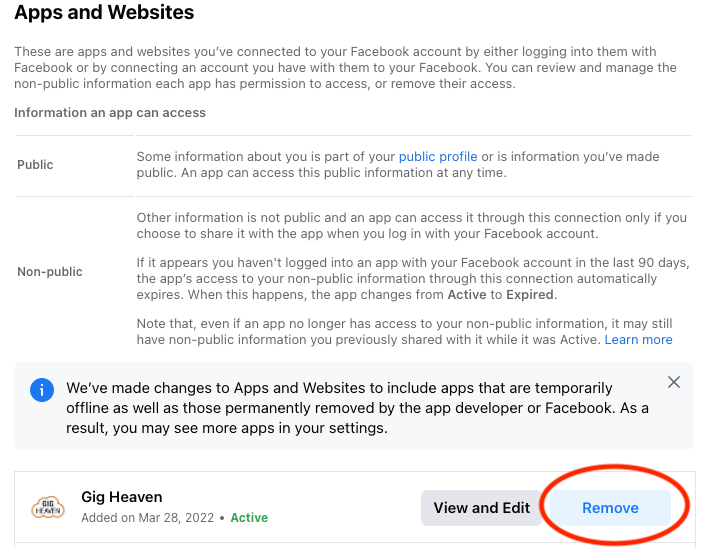
3. Click "Apps and Websites" and you will see all of your Apps activities.
4. Click the "Remove" button for Gig Heaven.
Gig Heaven has members, our newest member is (updated )



