
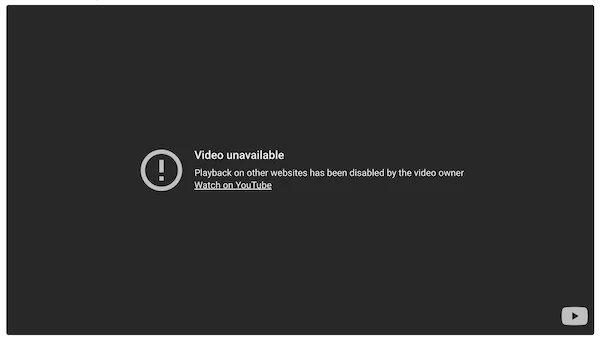
If your YouTube video is not set to public, or has allow embedding disabled, it will show as unavailable on your Gig Heaven listing. You won't necessarily spot this yourself - you're logged in to your own YouTube account, so the video plays fine for you. Everyone else sees this:
How to fix it - step by step
- Sign in to YouTube Studio.
- From the left menu, select Content.
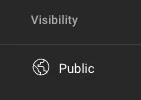
- Make sure the visibility of your video is set to Public:
- Click on the title of your video to open the video details.
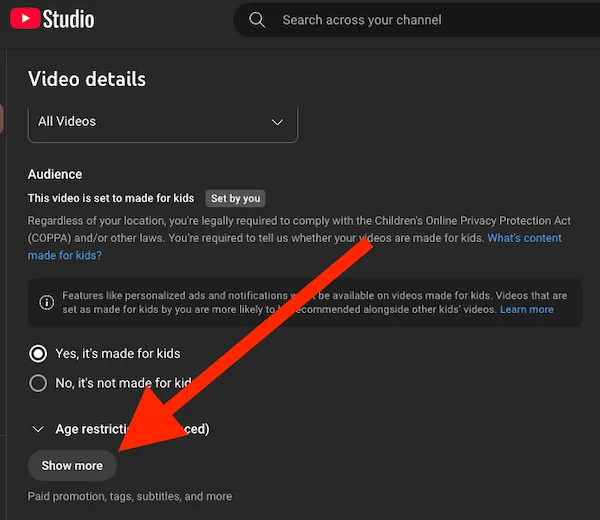
- Click the Show more button near the bottom:
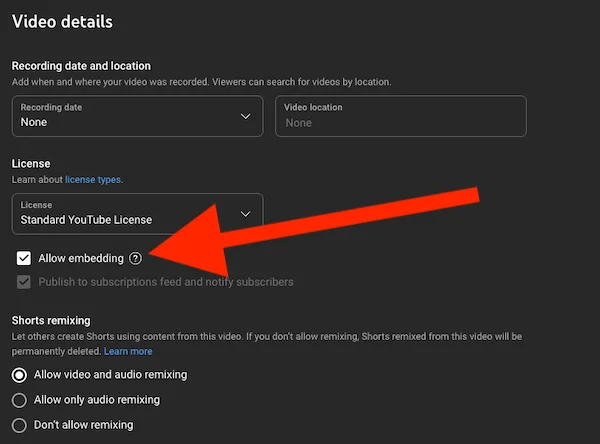
- Tick the box next to Allow embedding, and remember to click Save (top right):
Once saved, your video should play on your listing straight away - open your public listing page and check. For adding, reordering or removing videos, see adding videos to your listing.
If you need any further help with this, please get in touch.



