
Joining Gig Heaven is free, and takes a couple of minutes. There are two types of account, depending on how you want to use the site - you'll choose between them as you sign up, so it helps to know which is which before you start.
Choosing your account type
- I want to hire someone (I'm a customer) - choose this if you're looking to hire suppliers for your event: a band for a wedding, a DJ for a party, a photographer, a caterer.
- I want to get hired (I'm a supplier) - choose this if you provide services at events (e.g. musicians, DJs, photographers, caterers) and want customers to find and book you.
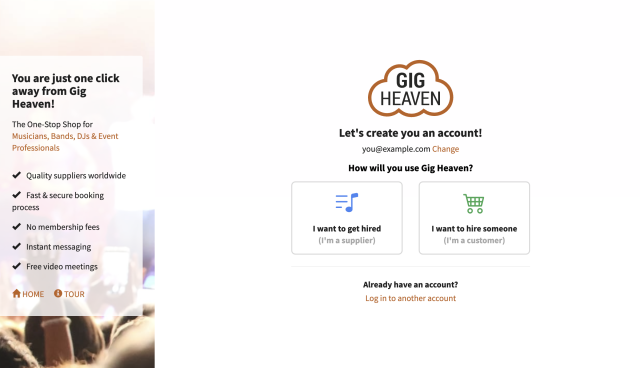
Creating your account
- Go to the log in or create a free account page.
- Either continue with Google, Apple or Facebook, or enter your email address and click Continue. If we don't recognise the email, we'll start creating your account.
- Choose your account type (above), then answer a few quick questions: your name (your own name, not your act or stage name), your contact details, and - unless you signed up with a social account - a password of at least 6 characters.
Your mobile number lets us offer free SMS enquiry alerts later if you want them - we'll never spam you or share your details. That's it: you'll land in My Account, ready to go.
After you've joined
- Customers - start with how to find a supplier and how to book a supplier.
- Suppliers - create your listing so customers can find you: see setting up your listing for the first time. We'll also ask you to verify your email address so enquiries reach you reliably.
You can sign in later with your email and password, a passkey, or your social account - see logging in: email, passkeys, and social sign-in.
If you have any trouble, please contact us.



