
You can change your password from your My Account page at any time. If you've forgotten your current password, you can reset it.
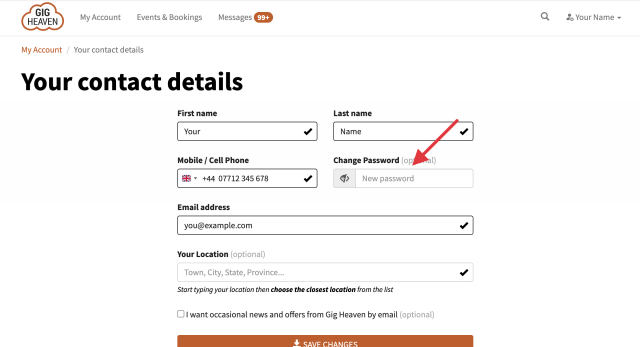
How to change your password
- Go to My Account and sign in.
- Click Edit contact details.
- In the Change Password box, type your new password.
- Click Save changes.
Choose a password that's at least 6 characters long and don't reuse a password you use on other websites.
If you sign in with a passkey or a social account (Google, Apple, Facebook), you don't have a password to change, but you can add one by filling in the Change Password box in Edit contact details. With a password set, you'll also be able to sign in using your email address.
If you have any trouble, please contact us.



