
Bookings on Gig Heaven are confirmed with a small deposit paid through the site. The remaining balance is paid directly to the supplier according to the terms on your contract. This article covers the full flow.
The 10% deposit is Gig Heaven's booking fee, paid to us rather than to the supplier. It does two things:
The remaining 90% balance is a separate payment made directly from you to the supplier, as set out in your contract. Gig Heaven never handles the balance.
Until the deposit is paid, the contract is agreed but not confirmed, and contact details stay hidden. See Understanding contract statuses for the full sequence.
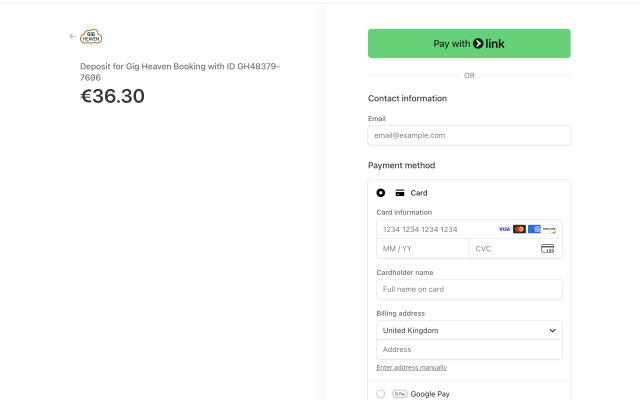
Once you've agreed a contract, a Pay deposit option appears on the booking. Click it to open a secure checkout powered by Stripe.
For the detailed walkthrough (including screenshots of the Stripe page), see How to pay the deposit for your booking. If the card is rejected, see Failed card payments / payment issues and Alternative payment methods if you can't pay by card.
The remaining balance is paid directly to the supplier, not through Gig Heaven. The method and timing are set out in the contract under supplier payment details. Typical arrangements are:
Check what the contract says, and if anything isn't clear, message the supplier (or have a video meeting) to confirm before the event.
You can download a receipt for your deposit from your booking. See How to view your payment receipt / invoice. For a VAT-compliant invoice (UK businesses paying in GBP), see VAT, invoices, and paying as a business.
Deposits can be charged in a range of currencies. The full list is in Supported currencies.
If you have any trouble, please contact us.
Gig Heaven has members, our newest member is (updated )



