
Once an event is done with (or you've decided not to pursue it), you can archive the conversation to tidy up your inbox. Archiving doesn't delete anything; it just moves the event out of your main view.
Archiving is a supplier feature. It keeps your events list focused on the bookings that still need your attention. Customers don't currently have an archive in the same way, but messages for completed or cancelled events naturally move down the list as newer events come in.
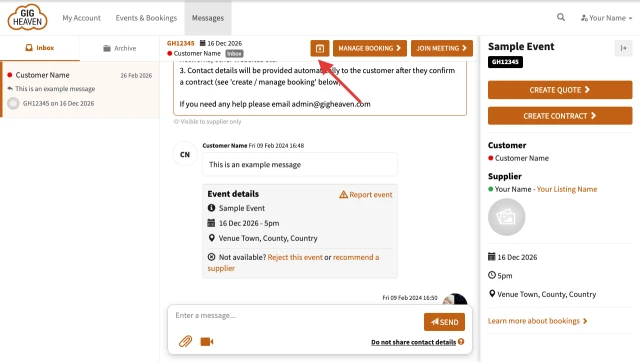
On your events list there's a filter or tab that shows archived events. Switch to that view to see everything you've archived so far.
If you need an archived conversation back in your main inbox (for example, the customer sent a follow-up), open it from the archive and click Move conversation to inbox (the unarchive button). It'll slot back in with your active events.
There isn't a delete option for conversations, and that's deliberate. Keeping the full history means if a question comes up later (from a customer, from us, or for your own records) the context is still there.
If you have any trouble, please contact us.
Gig Heaven has members, our newest member is (updated )



