
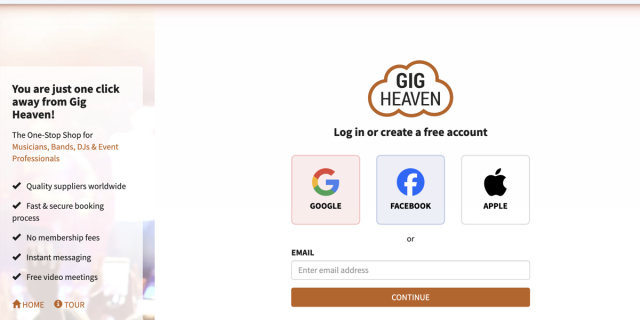
You can sign in to Gig Heaven using your email address and password, a passkey, or your Google, Apple, or Facebook account. Whichever method you choose takes you to the same My Account page.
Forgotten your password? Click Reset your password on the login page and we'll email you a link to set a new one. For step-by-step detail, see Password reset or account recovery.
On the login page, click Continue with Google, Continue with Apple, or Continue with Facebook. You'll be taken to the provider to approve the sign-in, then brought straight back to Gig Heaven.
If this is your first time using one of these, we'll create a Gig Heaven account automatically using the email address on your Google, Apple, or Facebook profile. If you already have a Gig Heaven account with the same email address, signing in with one of these providers links them together.
A passkey lets you sign in without typing a password, using your device (fingerprint, Face ID, Windows Hello, or a PIN). Passkeys are usually the fastest and most secure option.
Before you can use a passkey you need to save one on your device. See Signing in with a passkey for how to set one up. Once it's saved, click Or Use saved passkey on the login page and confirm on your device.
If your Google, Apple, or Facebook account is no longer available, you can still sign in with your email address and password. If you don't have a password set, use Reset your password on the login page to create one, then sign in as normal.
If none of these work, please contact us and we'll help you recover your account.
Don't have an account yet? Head to our sign-up page to join Gig Heaven.
Gig Heaven has members, our newest member is (updated )



