
Clear pricing helps the right customers enquire and saves you time answering the same pricing question over and over. This article covers the pricing options on your listing, how prices are shown to customers, and practical advice on what to charge.
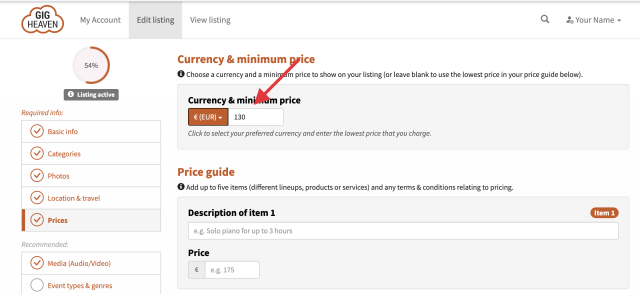
Open your listing from My Account and go to the Prices tab. You can:
You can either publish prices or choose not to. Published prices let customers self-qualify (those who can't afford you don't bother enquiring), and attract more enquiries overall because the number is visible. Hidden prices mean every enquiry is a chat, which some suppliers prefer. There's a toggle on the Prices tab.
Most acts offer more than one setup. Tiers let you show that at a glance. For each tier:
These render as a clean table on your listing with the description and price side by side.
Use the Price terms textbox to cover everything that might shift the number: travel, late finishes, extended sets, equipment hire, deposit, payment method, and so on. Typical example:
We set your default currency based on your account location, but you can change it on the Prices tab. Customers searching in a different currency see an approximate conversion. See Supported currencies for the full list.
A few pointers:
We send customers a year of enquiries. Keep prices accurate so an enquiry from February next year still matches what you'd charge. Revisit your Prices tab at least once a year.
If you have any trouble, please contact us.
Gig Heaven has members, our newest member is (updated )



